KRN Crosshair Mobile Tips for KRN: Crosshair
Touch HUD, aim, pickup, menus, and performance habits for twelve-player Survival lobbies.
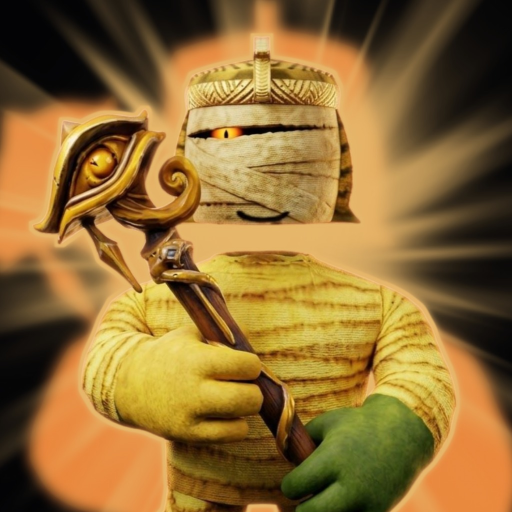
Plenty of KRN: Crosshair players clear rounds, redeem Codes, and climb event pressure from a phone or tablet. Frist’s Clothing’s Roblox Survival / 1 vs All experience caps at twelve players and still expects you to move, aim, pick up guns, read Murderer roles, and open menus for Quests, Salvage, Crates, Craft, Prestige, and Styles. Touch clients can do all of that—if you treat the HUD, graphics, and session choice as part of the skill. This page is the mobile-focused companion to Controls and Settings, Getting Started, and How to Survive.
Mobile reality check
Touch aim will rarely match a warmed-up mouse. That does not mean mobile is “invalid.” It means you should bias toward habits that forgive imperfect tracking: earlier pre-aim, shorter peeks, cleaner gun pickups, and Styles that buy time rather than demand pixel flicks. Full lobbies after November-style concurrent spikes feel harsher on mobile because visual clutter and network jitter stack. Plan for that instead of blaming only the matchmaker.
HUD and touch layout
Make the fire path sacred
- Enlarge the fire button in Roblox touch settings if you mis-tap reload or jump.
- Keep jump / crouch thumbs from overlapping the fire zone.
- Landscape orientation almost always wins for shooters—portrait stacks UI into your aim lane.
- If the experience exposes custom UI scale, prefer readable prompts over tiny “pro” layouts you cannot hit while sprinting.
Camera drag discipline
Right-side drag aims. Practice small corrections instead of huge swipes that overshoot mid-range rifles. When Murderer pressure hits, stop spinning the camera in full circles; pick an exit and commit. Over-dragging is how mobile players lose both the target and the door.
Pickup prompts
Guns decide openers. Walk into prompt range, tap deliberately, and confirm the tool is equipped before rotating to a farther pile. Zoom the camera slightly if prompts sit under thumbs. Contested sparkles are worse on mobile because tap latency stacks with decision latency—use the space / eyes / threat checks from the survival guide even harder than PC players do.
Aim habits that work on touch
- Pre-aim corners before you expose the avatar—do not discover angles mid-strafe.
- Burst and reset instead of spraying while both thumbs fight the HUD.
- Prefer mid-range flexible guns when your tracking is cold; save sniper fantasies for days your hands feel stable.
- Crouch or stop for the first shot in a duel if your drag aim wobbles while sprinting.
- Use cover as a sensitivity break—break line of sight, reset thumbs, re-peek.
Pair these with a mobility-leaning or information-leaning Style when you need rotates and Murderer reads more than duel ego. Loadout theory still lives on the Tier List; execution lives in your thumbs.
Menus, Codes, and progression UI on mobile
Fat-finger mistakes open the wrong shop tab and delete rounds. Rules:
- Redeem Codes only in calm lobby moments—never mid-fight.
- Open Quests, Salvage, Craft, Crates, and Prestige between rounds or in truly safe dead time.
- After patches, assume the Codes button moved; re-hunt edges and hamburger clusters using the discovery tips on Controls.
- Never paste Codes into Roblox chat expecting a redeem.
- If a script ad tells you to install a “mobile executor,” treat it as high risk—see Scripts for why key pages and injectors are dangerous.
Economy clicks (Coins sinks, crate opens, Prestige confirms) deserve two-look confirmation on touch because a single mis-tap can spend currency you meant to save for a board week.
Graphics and performance
Stable frames beat max shadows when twelve players spray.
- Lower graphics quality until peeks stay readable.
- Reduce particles / post-effects if muzzle flash hides enemies.
- Mute music if it masks gunfire direction; keep SFX high enough to hear rotates.
- Prefer strong Wi-Fi over congested cellular during board pushes.
- Close background downloads and heat-heavy apps; thermal throttling feels like “the game got harder.”
- After heavy update weeks, re-check presets—patches sometimes reset client options (November 2026).
If your device cannot hold a stable fight in a full lobby, shorten sessions or switch to PC for the serious climb and keep mobile for Quests, Codes, and lighter rounds.
When to use mobile vs PC
Mobile is enough when:
- You are clearing Quests, redeeming Codes, or doing medium-stakes survival practice.
- You mainly need information and positioning, not sniper micro.
- Travel or couch time is the only play window you have.
Switch to PC (or a controller dock) when:
- You are pushing a competitive event leaderboard in full post-spike lobbies.
- Contested gun openers and Murderer duels decide your night.
- Touch mis-taps keep opening menus or missing pickups.
- You are learning a new weapon archetype and need cleaner feedback.
Many players mix devices: mobile for maintenance, PC for board nights. That split is smart—not a failure of mobile play.
Mobile session checklist
- Landscape mode, enlarged fire button, Wi-Fi confirmed.
- Graphics lowered until frames feel stable.
- Codes redeemed from a calm menu moment.
- One warm-up round focused only on pickup + camera drag.
- Style chosen for today’s goal (info / mobility / combat-buff).
- Three-check gun pickups; refuse dead-end bait under Murderer pressure.
- Menus closed before every serious rotate.
- Stop or switch devices if heat or tilt ruins aim.
Linking mobile play to the rest of the wiki
- Inputs deep dive → Controls
- First-hour loop → Getting Started
- Round craft → How to Survive
- Role reads → Roles and Murderer
- Board climbing → Events and Leaderboards
- Players index → Players Hub
Master touch fundamentals once, revisit after UI patches, and let aim improve in real rounds instead of endless sensitivity fiddling. Mobile KRN: Crosshair rewards players who simplify the HUD, protect pickups, and know when a board night deserves a mouse.
Frequently Asked Questions
Quick answers about survival rounds, codes, and progression.
Can I play KRN: Crosshair seriously on mobile?
Yes for Quests, Codes, and solid survival habits. For peak event boards in full lobbies, many players still prefer PC aim.
How do I pick up guns on touch?
Enter prompt range, tap deliberately, confirm the gun equips, then reposition. Contested sparkles are riskier on mobile—see How to Survive.
Where should I redeem codes on mobile?
Use the in-experience Codes UI in a calm lobby moment, not chat. Re-find the button after patches via Controls.
What graphics settings help most?
Lower quality and effects until peeks stay smooth, prefer Wi-Fi, and re-check presets after updates that reset options.
When should I switch from mobile to PC?
Switch for contested board pushes, Murderer duel nights, or when mis-taps keep opening menus. Keep mobile for maintenance sessions.